
Sermon Prep with AI: 5 Time-Saving Tools
AI can reclaim pastors' time by capturing ideas, organizing research, and sharpening sermons without replacing the preacher's voice.
If you’re a pastor, sermon preparation can take up 10–20 hours a week, leaving little room for other responsibilities. AI tools can help simplify research, organization, and idea generation, saving you significant time while improving the quality of your sermons. Here’s a quick guide to five AI tools that can transform your sermon prep process:
- Psalmlog: Record sermon ideas on the go with voice journaling and automatic transcription.
- Sermonary: Create sermon outlines with drag-and-drop templates and integrated research tools.
- Logos Bible Software: Perform in-depth Scripture studies with AI-powered search and summaries.
- ChatGPT: Generate sermon illustrations, titles, and discussion questions.
- Grammarly: Edit and refine your sermon for clarity and tone.
AI won’t replace your voice but can serve as a valuable assistant, helping you focus on prayer and pastoral care , scripture-based reflection, while delivering impactful messages.
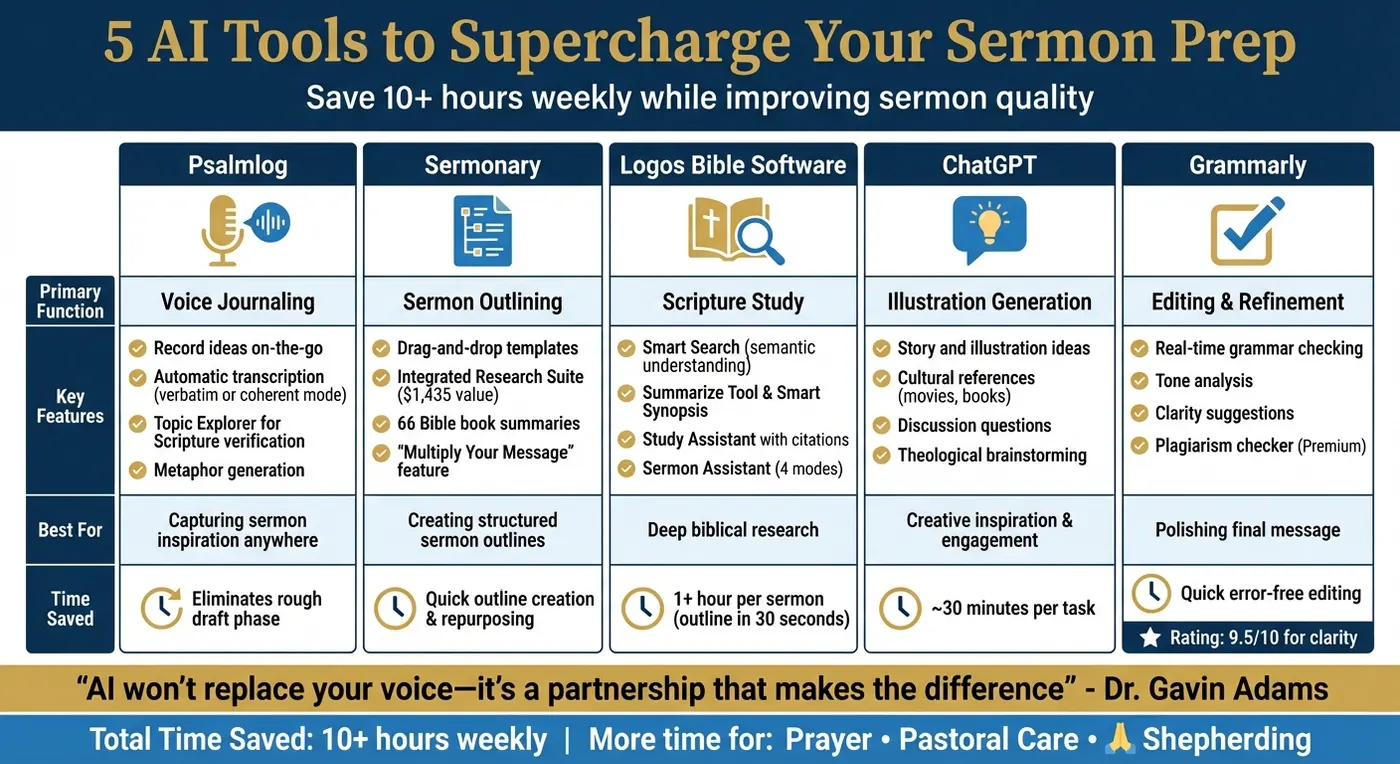
5 AI Tools for Sermon Preparation: Features and Benefits Comparison
How We’re Using AI in Sermon Prep Ethically and Efficiently
1. Psalmlog: Voice Journaling for Capturing Sermon Ideas
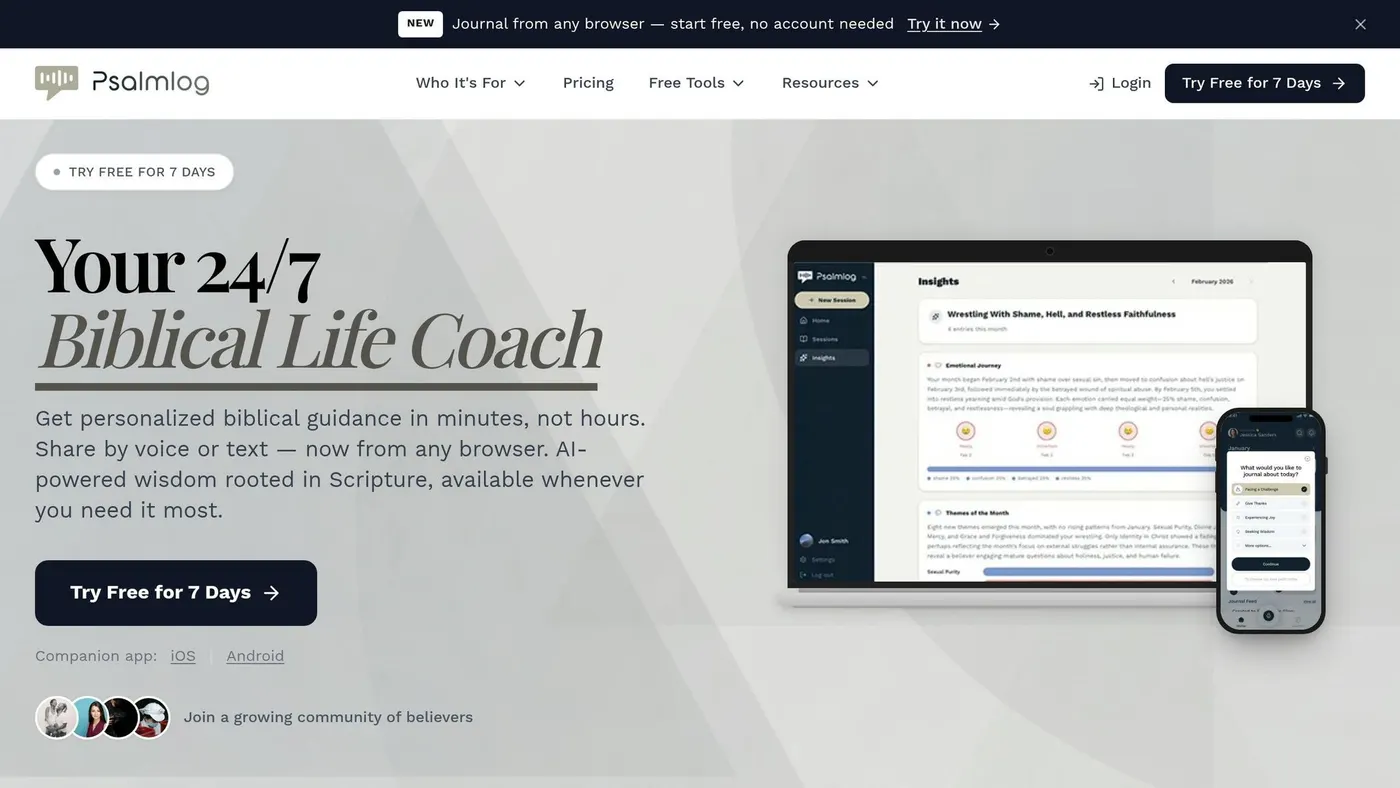
Sermon inspiration can strike at the most unexpected moments – while driving, walking, or even in the middle of your daily routine. The real challenge? By the time you sit down at your computer, that spark of clarity might already feel distant. With Psalmlog’s voice journaling feature, you can capture those insights immediately, simply by speaking.
Time-Saving Capabilities
With Psalmlog, you can record your thoughts on the spot. The app transcribes your voice and organizes your ideas into structured content. You can choose between two transcription modes: "verbatim transcription", which captures your words exactly as spoken, or "coherent mode", which refines your ideas into a well-organized format. This eliminates the need for a rough draft, letting you move straight from brainstorming to crafting a sermon outline.
Not only does this save time, but it also ensures your insights are preserved with clarity and focus.
Scriptural Accuracy
Psalmlog’s voice journaling is built on a foundation of biblical integrity, ensuring your ideas remain contextually and scripturally sound. Once transcribed, your notes can be cross-referenced using tools like Topic Explorer and Find Verses for Topics. These tools help verify the accuracy of your ideas and provide relevant scripture more effectively than a typical internet search. This level of precision supports your theological research with confidence and reliability.
Creativity Enhancement
Speaking your thoughts aloud can unlock new levels of creativity. Vocalizing ideas often stimulates deeper processing, helping to refine raw insights into meaningful sermon illustrations. Psalmlog takes it a step further by offering tools to generate metaphors based on your initial concepts, enriching your sermons with vivid, engaging illustrations.
2. Sermonary: Automated Sermon Outline Creation
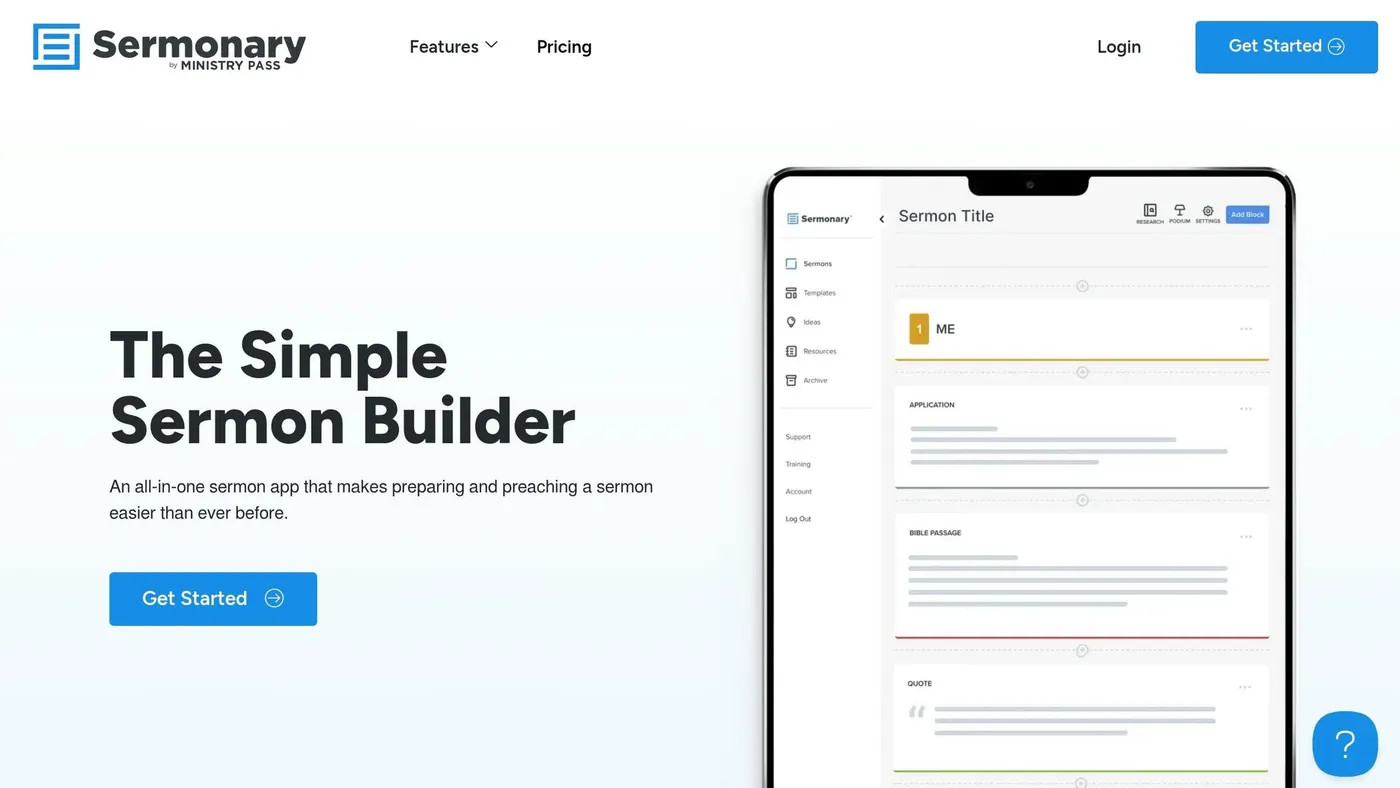
After gathering your ideas, the next step in sermon preparation is crafting an outline. This can often feel daunting, especially when staring at a blank page. Sermonary tackles this head-on by offering pre-designed sermon templates. Whether you’re crafting a classic three-point sermon, diving into a verse-by-verse exposition, or preparing for specific occasions like weddings or funerals, these templates provide ready-made frameworks to get you started.
Time-Saving Capabilities
Sermonary’s drag-and-drop editor is a game changer. Rearranging your sermon is as easy as moving blocks on a screen. No more endless cutting, pasting, or reformatting – just simple, intuitive adjustments that save valuable time.
Once your outline is in place, the platform’s integrated research tools take over. The Research Suite brings together commentaries, cross-references, and Bible summaries in one place, so you don’t need to switch between tabs. Plus, the built-in AI can edit, expand, or summarize sections of your sermon, helping you fine-tune your message effortlessly. And when you’re ready to repurpose your work, the “Multiply Your Message” feature converts your sermon into blog posts or devotionals in no time.
"Sermonary keeps my message focused." – Cole Maxwell, First Baptist Church Galveston
Scriptural Accuracy
Staying true to Scripture is essential, and Sermonary supports this with summaries for all 66 books of the Bible. These summaries help you quickly grasp the broader context of the passages you’re preaching from. The Research Suite, which includes trusted resources valued at $1,435, ensures your message is rooted in respected biblical scholarship. For those who focus on expository preaching, the verse-by-verse template ensures your outline flows seamlessly with the text, maintaining both clarity and fidelity to Scripture as you build your sermon.
3. Logos Bible Software: AI-Assisted Scripture Study
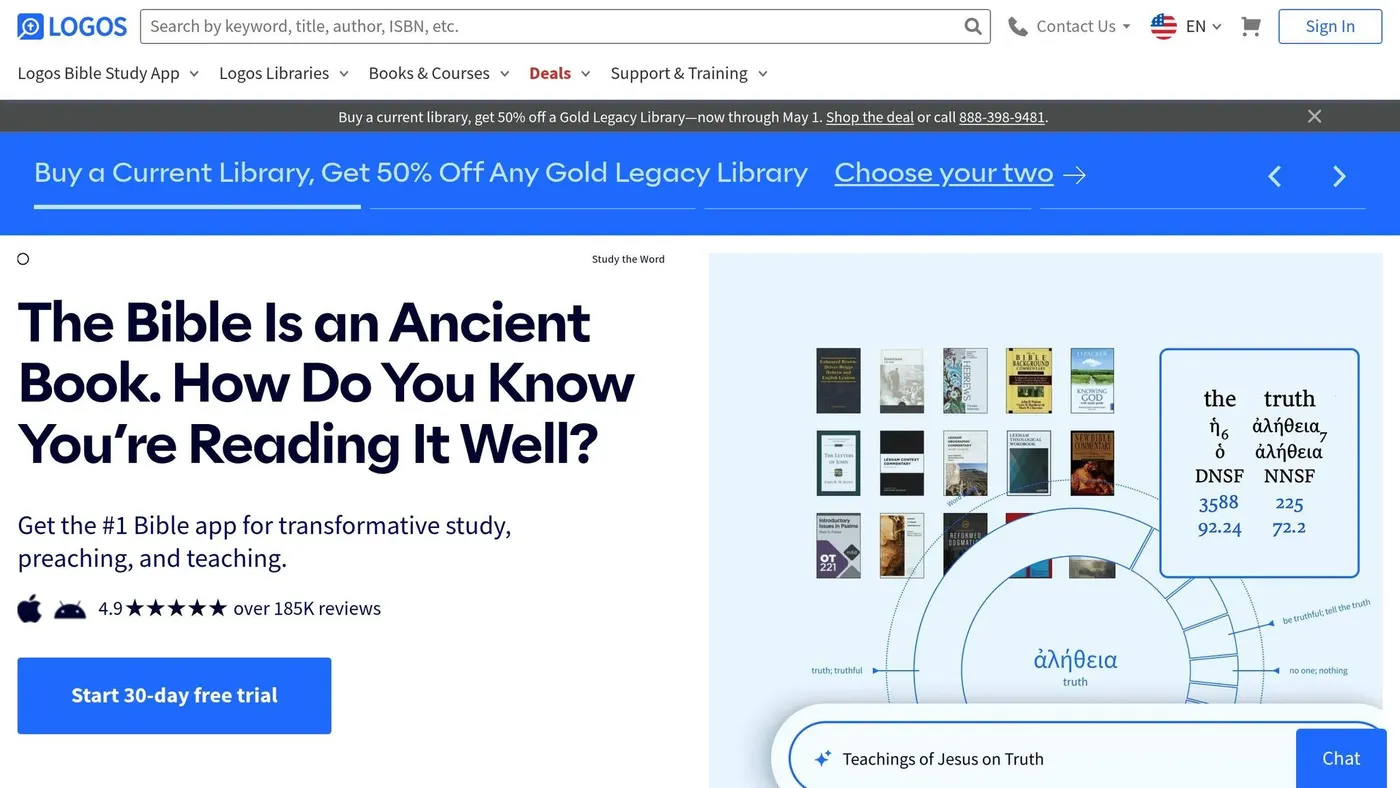
Once your sermon outline is ready, it’s time to dive into the biblical text. Logos Bible Software leverages AI tools for Bible study to streamline your research, cutting down research time while maintaining depth and quality.
Time-Saving Capabilities
Logos’ Smart Search understands the intent behind your queries, not just the words you type. For example, searching for "speaking in tongues" will also surface articles on "glossolalia", even if the term isn’t explicitly mentioned in your input. This semantic search eliminates the frustration of hunting for relevant material.
The Summarize Tool and Smart Synopsis are game-changers for condensing large volumes of information. Whether it’s a biblical book, a chapter, or a lengthy academic article, these tools distill key points in seconds. You can quickly grasp the essence of a passage or decide if a 40-page commentary is worth your time. Smart Synopsis even pulls insights from your entire library and organizes them into a concise, citation-backed summary.
"Logos has improved their search functionality with AI to help locate those obscure passages using plain search phrases."
- Phil Thompson, Director of Digital Strategy, North American Mission Board
In one instance, Pastor Brandon Hilgemann used the Sermon Assistant to create a sermon outline on Matthew 7:24-29. In under 30 seconds, the AI produced a full three-point outline. The AI question generator alone can save over an hour during sermon prep, giving you more time to focus on delivering your message.
Scriptural Accuracy
While speed is crucial, accuracy is non-negotiable. Logos ensures every AI-generated response is grounded in your personal library, so you can trust the information provided. The Study Assistant allows you to ask plain-English questions like, "How did the doctrine of the Trinity develop?" and receive answers exclusively sourced from your library, complete with citations you can verify.
"Every answer is grounded in your Logos library, with sources you can inspect for yourself."
- Logos Support
For tasks that demand precision, like original language analysis, Logos relies on its meticulously curated "Bible Word Study" feature rather than AI. Additionally, the Smart Bible Search ensures that every verse it finds matches your preferred Bible translation , utilizing advanced technology similar to how AI cross-references multi-language scriptures, leaving no room for error.
Creativity Enhancement
Logos doesn’t just help you gather information – it helps you think differently. The Sermon Assistant offers four modes – Outlines, Illustrations, Applications, and Questions – to inspire new ideas. Need fresh examples to enrich your message? The Illustrations generator has you covered.
"AI is an awful pastor and an excellent assistant."
- Brandon Hilgemann, Pastor
The AI functions like a creative partner, helping you overcome writer’s block with starter ideas you can adapt to suit your style. Smart Search also highlights parallel passages, figurative language, and historical details – like the background of Caesarea – that can add depth and richness to your sermon. Plus, you can tailor your content for different audiences, whether it’s adults, teens, or children.
Practicality for Pastoral Needs
Logos integrates seamlessly into your daily routine. With its mobile app, you can use tools like Summarize during short breaks or even while commuting, making every moment productive.
Subscribers typically have enough AI credits to use these features hundreds or even thousands of times each month. Importantly, Logos does not train its AI on your personal notes or sermons, ensuring your work remains private. While these AI features are available with Logos Pro or Logos Max subscriptions, the time saved and insights gained make it a worthwhile investment for pastors committed to delivering meaningful, well-prepared sermons.
4. ChatGPT: Generate Stories and Illustrations
After wrapping up your research with Logos, ChatGPT can help bring your creative ideas to life by sparking fresh sermon illustrations and narratives.
Staring at a blank page? ChatGPT can jumpstart your creativity by suggesting titles, themes, and connections across Scripture. Think of it as a brainstorming partner that highlights links throughout the Bible and offers theological insights to shape your illustrations.
Boosting Creativity
ChatGPT is great at pulling in references from movies, TV shows, or books to help you engage your congregation. For example, if your sermon focuses on sacrifice, you could ask for examples from recent films that showcase selflessness. It can even mimic the tone of well-known theologians to align with your message.
Have a rough idea for an illustration? Paste it into ChatGPT and ask it to "simplify this into a conversational tone." This can help you refine your delivery and make your message more relatable. Additionally, the tool can identify potential misunderstandings or suggest counterpoints to strengthen your argument. If you’re planning a sermon series, prompts like "creative ways to preach on the parables of Jesus" can provide fresh narrative structures to explore.
Saving Time
ChatGPT can save you about 30 minutes per task when creating discussion questions or ministry resources like coloring sheets. For pastors in smaller congregations without a team to collaborate with, it acts as a helpful sounding board. You can use it to quickly draft emails, articles, or theological explanations without starting from scratch. These time-saving benefits go hand-in-hand with its creative input, making sermon preparation more efficient.
Staying Scripturally Accurate
While ChatGPT can help outline ideas logically, it doesn’t bring the emotional depth or spiritual authority needed for a sermon. It may generate convincing but unverified quotes, Bible verses, or historical details. Always double-check every Scripture reference, quote, and fact before including them in your message.
"Use ChatGPT for information and inspiration. But don’t use it for composition unless you’re going to give credit."
- John Piper, Founder & Teacher, Desiring God
Since ChatGPT lacks spiritual discernment and doesn’t grasp Scripture’s redemptive story – it doesn’t "know the Redeemer" – think of it as a digital commentary. It’s a tool to spark ideas, but the heart and spiritual depth must come from you. By blending AI-generated insights with your personal conviction, you can create messages that truly resonate from the pulpit.
5. Grammarly: Analyze Tone and Improve Sermon Clarity
Once your ideas and structure are mapped out, refining your message becomes essential to ensure it resonates effectively. This includes how AI links theological motifs in scripture to deepen the biblical foundation of your message.
After drafting your sermon, Grammarly can help you fine-tune grammar, punctuation, and structure, making your message clearer and more impactful.
Time-Saving Capabilities
Grammarly acts as a reliable editing assistant, catching subtle errors you might overlook during a quick review. For bi-vocational pastors juggling limited preparation time – often just 5–10 hours a week – its browser extension is a game-changer. It refines drafts as you work, offering real-time suggestions to simplify language and improve flow for smoother delivery.
These small adjustments can make a big difference, helping your sermon flow naturally and connect more deeply with your congregation.
Practicality for Pastoral Needs
Grammarly’s tone analysis feature is especially helpful for ensuring your language strikes the right chord with your audience. It can help you avoid overly formal phrasing, making your message more approachable. Impressively, Grammarly has earned an overall score of 9.5/10 for its ability to enhance clarity in communication.
"If you write out your sermons… AI can help refine your writing. Maybe you’re working on an introduction or illustration, and it feels choppy to you. You can ask AI to simplify the language or make it more engaging."
- Stephen Altrogge
The Premium version offers advanced clarity suggestions and a plagiarism checker, while the Free version covers essential grammar and spelling fixes. However, it’s important to review its recommendations carefully – no tool can fully grasp the spiritual depth or theological precision that is key to your unique voice.
Conclusion
AI tools can play a meaningful role in supporting your spiritual mission by giving you back precious time. Tasks like research, outlining, and editing can take up hours each week – AI can streamline these processes, saving you over 10 hours weekly. This extra time can be devoted to what truly matters: prayer, pastoral care, and shepherding your congregation.
Each of these five tools contributes to a different aspect of sermon preparation. Psalmlog helps you capture ideas as they come. Sermonary organizes your thoughts into a cohesive structure. Logos Bible Software provides reliable, scripture-based insights for your exegesis. ChatGPT sparks creativity when you’re feeling stuck. Finally, Grammarly ensures your message is polished and professional.
Together, these tools simplify every step of sermon development. However, the key is to use AI as a partner, not as a substitute for your voice. As Dr. Gavin Adams, Founder of Church Accelerator, wisely says:
"Preaching is personal; AI is a tool – it’s the partnership that makes the difference".
Start by identifying the tool that addresses your biggest challenge – whether that’s capturing ideas, organizing research, or refining your delivery. As you see the benefits, you can gradually integrate more tools into your process. These tools not only save time but also help you craft biblically sound and engaging messages that resonate with your congregation.
The time you save isn’t just about efficiency – it’s about impact. Spending less time on administrative tasks means more time for prayer and connection, allowing your sermons to touch hearts and deepen your ministry.
FAQs
How do I use AI without losing my preaching voice?
To integrate AI into your sermon preparation without losing your unique preaching voice, think of it as a helpful assistant rather than a replacement. AI can handle tasks like brainstorming sermon outlines, summarizing theological commentaries, or organizing your thoughts. However, the heart of your message – your personal insights, biblical accuracy, and spiritual depth – should always come from you. The key is using discernment to ensure AI complements your process while staying true to your calling.
How can I verify AI outputs are biblically accurate?
Carefully reviewing and cross-checking AI-generated content is essential to ensure it aligns with biblical accuracy. When dealing with scriptural references or summaries, compare them against trusted sources like the Bible and reputable commentaries. Since AI can sometimes misquote or misinterpret Scripture, pastors should take the time to verify that all content reflects biblical truth. This level of oversight safeguards the integrity of sermons and ensures theological consistency.
Which AI tool should I start with first?
When you’re gearing up to prepare a sermon, the best AI tool to start with is one that helps you brainstorm and structure your ideas. Tools like brainstorming or outline generators can save you time by transcribing your thoughts and organizing them into clear, structured notes. These tools tackle the often time-intensive early stages of sermon prep, giving you a strong starting point to build your message more efficiently.