
From Confused to Clear: How to Find God's Word on Any Topic, Instantly
Use voice journaling and AI to match your struggles with relevant Bible verses, track progress, and apply Scripture to real-life decisions.
When life feels overwhelming – whether it’s stress at work, tension at home, or sleepless nights filled with worry – you want answers fast. The Bible offers guidance, but finding the right verses for your situation can be time-consuming and frustrating. Enter Psalmlog, an AI-powered app that connects your spoken concerns to relevant Scripture in seconds. Here’s how it works:
- Speak your problem: Simply voice your thoughts like "I’m anxious about work" or "How do I forgive someone?"
- Get personalized Scripture: The app uses AI to understand your emotions and situation, delivering Bible verses and practical advice tailored to you.
- Track your progress: Keep a journal of your entries, insights, and actions to see how Scripture guides your life.
With a 7-day free trial and a user rating of 4.8/5, Psalmlog simplifies connecting with God’s Word. No need to remember exact verses – just speak from the heart and let the app guide you.
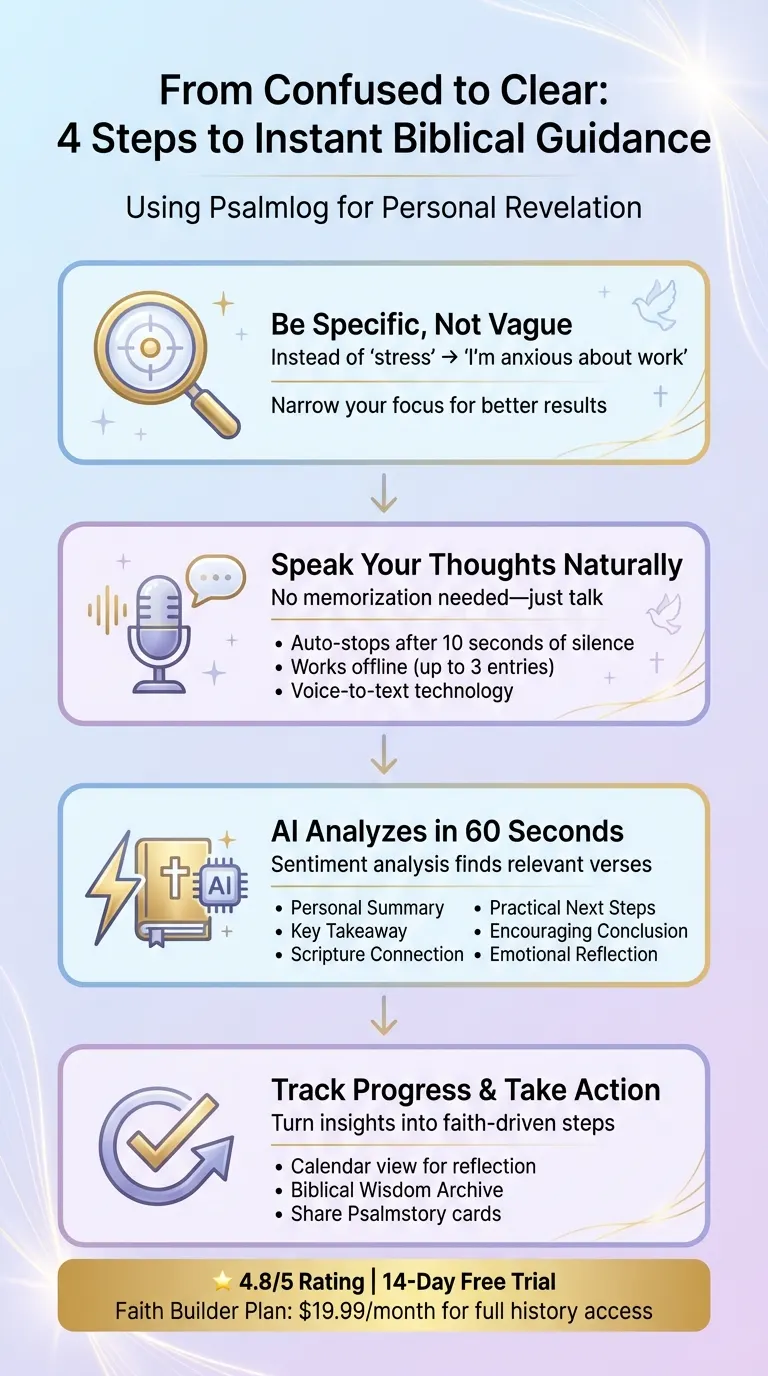
4-Step Process to Find Biblical Guidance Using Psalmlog
Step 1: Identify Your Specific Problem
Why Being Specific Helps
When your questions are too broad, the answers you get will be just as vague. For example, searching for "stress" might give you countless Bible verses, but how many actually address your unique situation? The key is to narrow your focus. Instead of searching for "relationships", try something more precise like, "How can I deal with a difficult person?" or "What does the Bible say about trust?" This shift makes it easier to find the guidance you need.
John Piper, Founder & Teacher at Desiring God, explains it well:
"The Bible, by and large, says it’s not going to give its riches to people who don’t dig."
Modern AI tools are designed to process natural language in a way that feels intuitive. By framing your problem as a specific question – like "Should I go on a diet?" or "How do I overcome a bad habit?" – these tools can better understand your context and provide relevant Scripture. Using tools like Psalmlog makes it even easier to find verses tailored to your situation.
Common Life Challenges to Address
To make this approach practical, start by identifying a few keywords that clearly describe your challenge. For instance, if you’re focusing on "family", break it down into more specific terms like "husband", "wife", or "discipline." This targeted approach sharpens your search.
Here’s a quick guide to help you reframe your struggles:
| Life Challenge | Specific Framing / Keywords to Use |
|---|---|
| Relationships | Difficult people, trust, pleasing others, flattery, anger |
| Family & Parenting | Marriage, raising godly kids, husband, wife, discipline |
| Finances & Work | Money, greed, stewardship, eye-service, masters |
| Personal Struggles | Bad habits, temptation, depression, loneliness, burnout |
| Life Purpose | Meaning of life, injustice, trials, eternal life |
Before you start your search, ask yourself: What’s the real issue behind my struggle? For example, if you’re wrestling with people-pleasing, is it rooted in flattery, a need for approval, or fear of rejection? Pinpointing the "why" behind your challenge can guide you to the most relevant parts of Scripture. For everyday challenges, Proverbs might be the place to look, while deeper doctrinal questions could lead you to Paul’s letters. Writing down your specific problem can help you stay focused and clear.
Step 2: Use Psalmlog‘s Voice Journaling
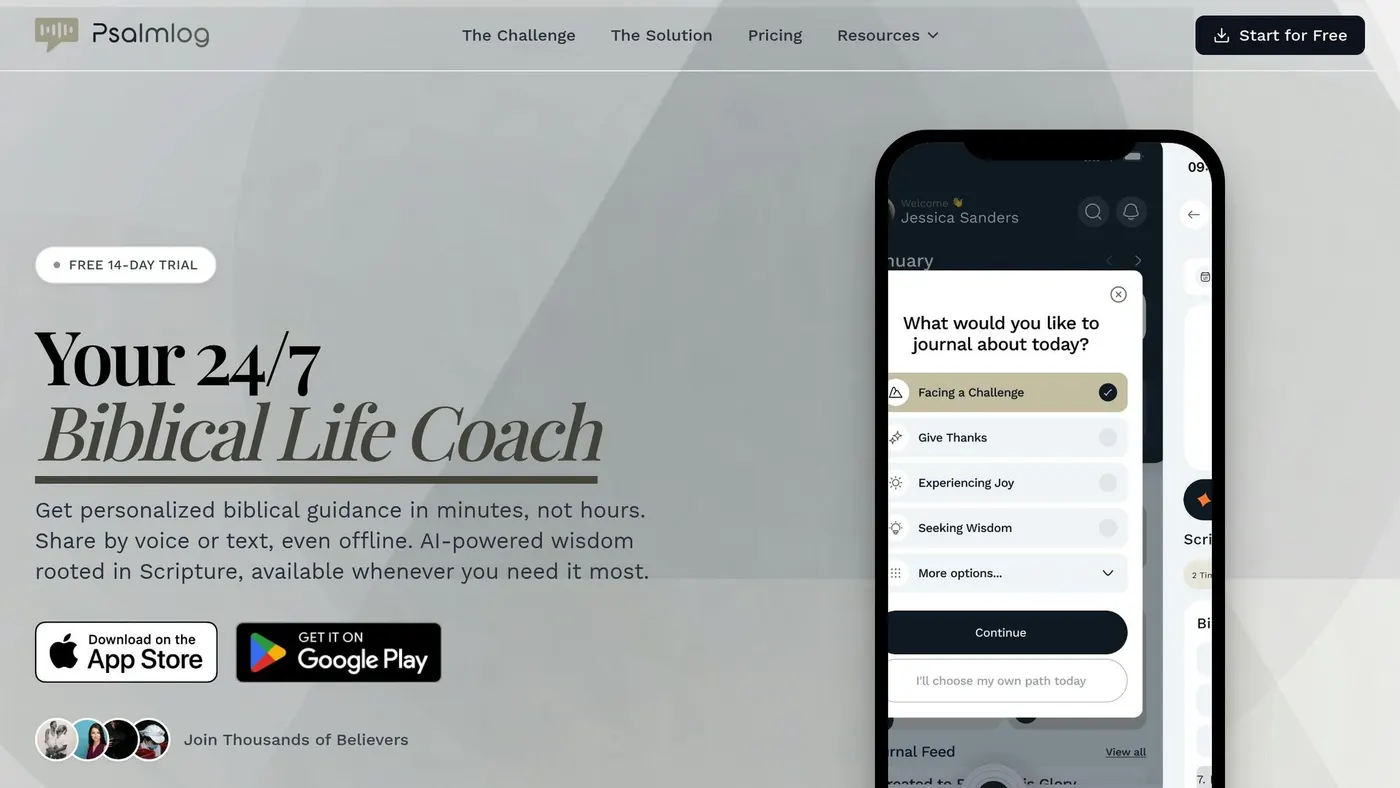
Recording Your Voice Entry
Once you’ve identified your challenge, open Psalmlog and simply speak your thoughts. No need to memorize Bible verses or use elaborate theological terms – just talk naturally about what’s on your mind. Whether it’s anxiety about an upcoming job interview, frustration with a loved one, or uncertainty about a big decision, let it all out.
Psalmlog uses voice-to-text technology to record your words as you speak. The app even detects pauses, automatically stopping the recording after 10 seconds of silence, so you don’t have to worry about hitting pause manually. If you’re in a place without internet – like a quiet sanctuary or on a plane – you can still record up to three entries offline. These will sync automatically when you’re back online.
After you finish, the app’s AI generates a six-point analysis in under a minute. This includes a Personal Summary, Key Takeaway, Scripture Connection, Practical Next Steps, Encouraging Conclusion, and Emotional Reflection themes. The Scripture Connection is particularly impactful, as the AI evaluates your emotions and context to suggest Bible verses tailored to your situation.
This streamlined process makes it easy to engage deeply with Scripture, providing the personalized guidance mentioned in the introduction.
Why Voice Journaling Works Better
Voice journaling isn’t just convenient – it fosters a stronger connection with God. Preston, a contributor to the Psalmlog Official Blog, explains:
"Speaking your thoughts creates a different kind of intimacy with God than typing or writing".
For centuries, prayer has been spoken or whispered, and voice journaling reflects that time-honored practice.
There’s also a practical advantage: speaking allows you to express raw, unfiltered thoughts without worrying about grammar or sentence structure. The AI takes these spontaneous reflections and identifies emotional patterns you might not notice on your own. Studies show that believers who engage in spiritual reflection 5–7 times a week report higher levels of spiritual perspective and life satisfaction. Voice journaling makes this consistency easier – no need for a desk, pen, or perfectly written words.
Next, discover how Psalmlog transforms your voice entries into instant scripture matches.
Step 3: Get Instant Scripture Matches
Once you’ve recorded your voice entry, Psalmlog takes your words and finds personalized Scripture matches tailored to your situation.
How the AI Finds Relevant Verses
After you finish speaking, Psalmlog’s AI goes to work, analyzing your words in just 60 seconds. It doesn’t simply search for keywords – it uses sentiment analysis to grasp the emotions behind your message. For example, if you’re worried about money but never mention the word "anxiety", the AI still picks up on your feelings and connects them to the wisdom found in Scripture.
The system scans a Bible database to locate verses that align with your emotional and situational needs. By identifying the core of your challenge, it pinpoints passages that resonate with your experience. In under a minute, you receive a personalized analysis.
This quick and thoughtful matching process provides guidance that feels practical and relevant.
Real Examples of Scripture Matches
Here’s how this works in real life: Imagine you record a voice entry about feeling overwhelmed by work stress and self-doubt. The AI might deliver verses like Philippians 4:6-7, which focus on peace. Along with the Scripture Connection, you’ll also get practical advice, such as prayer prompts or tips on setting boundaries – all grounded in faith .
Or let’s say you’re journaling about deciding whether to relocate for a new job. The system provides insights that include a Key Takeaway on seeking God’s wisdom. It also helps you process emotions about the move with the Emotional Reflection themes and offers verses about trusting God’s guidance .
What makes this process so effective is that you don’t need to know where to start in the Bible. Whether you’re struggling with family issues, financial burdens, or seeking healing, the AI understands your specific concerns and delivers guidance tailored to your unique situation, avoiding one-size-fits-all advice.
Step 4: Apply Scripture to Your Life
Track Your Progress with Psalmlog
Psalmlog helps you see how God’s Word is shaping your life by keeping a secure archive of your voice entries, transcripts, and AI-generated insights. With the Faith Builder plan ($19.99 per month), you unlock access to your entire journal history – not just your latest entry.
Using the calendar view, you can revisit past moments and reflect on how Scripture guided you through challenges. For example, looking back at a journal entry from a job interview three months ago might reveal which verses brought you peace and direction. Over time, this feature helps you create a Biblical Wisdom Archive, where you can save passages that resonate with your recurring struggles.
Psalmlog also lets you share Psalmstory cards, which are visual summaries of your personal insights and the practical steps you’ve identified. Sharing these cards with a prayer partner or Bible study group via text or social media transforms your private reflections into opportunities for community support and encouragement. This shared accountability can inspire you to take real, meaningful action based on the guidance you’ve received.
Put Scripture into Action
Psalmlog doesn’t just help you reflect – it equips you to act. Through its six-point AI analysis, the app provides specific, actionable steps tailored to the verses that align with your situation . For example, if you’re journaling about financial stress, the app might suggest creating a budget while meditating on Philippians 4:19 or seeking advice from a trusted mentor.
Incorporate these steps into your daily routine, whether during morning devotions or evening quiet time, to reinforce the lessons Scripture is teaching you. Before making major decisions – like accepting a job offer or resolving a conflict – record your thoughts in the app and let the Scripture Connection feature provide relevant verses to guide you. In just about 60 seconds, the app delivers personalized Scripture connections to help clarify your next move. As you act on these insights, you’ll witness how God’s Word brings clarity and direction to your life.
Conclusion
Discovering God’s Word for your specific challenges doesn’t have to feel overwhelming. By following a simple four-step process – identifying your problem, using voice journaling, receiving instant Scripture matches, and applying those verses – you can move from confusion to clarity, uncovering biblical guidance tailored to your unique situation.
Psalmlog takes this process even further, turning hours of searching into moments of connection. Instead of needing to recall exact verses or keywords, you simply speak from the heart about what’s troubling you. The app’s AI provides personalized Scripture, pastoral insights, and actionable steps designed to address your needs.
Think about one challenge you’re facing right now – whether it’s anxiety about a big decision, stress from work, or a family issue. With Psalmlog’s 7-day free trial and a 4.8/5 rating, you can experience instant, personalized Scripture guidance today.
God’s Word is always available to guide you. Psalmlog makes finding it quicker, simpler, and more personal. Speak one sentence, and begin turning your challenges into clear, faith-driven actions.
FAQs
How does Psalmlog pick the right Bible verses for me?
Psalmlog leverages AI to interpret your spoken or typed input, analyzing your situation to suggest scripture that aligns with your circumstances. This approach makes the guidance both timely and tailored, offering a more personal connection to the Bible.
Can I use Psalmlog without internet?
Yes, Psalmlog functions offline. You can either type or speak your journal entries and still receive personalized biblical guidance without requiring an internet connection. This ensures you can access scripture-based support anytime, even in areas with little to no internet coverage.
Will my journal entries stay private and secure?
Your journal entries on Psalmlog are kept private and secure. Although features like PsalmStory allow you to share your thoughts and insights with others, your personal reflections stay protected. Psalmlog puts a strong emphasis on data privacy, ensuring you have full control over what you choose to share. For added peace of mind, take a moment to review the app’s privacy settings and policy. Unless you decide to share, your entries remain completely confidential.